How to Recover Data from QNAP NAS Servers: A Complete Step-by-Step Guide
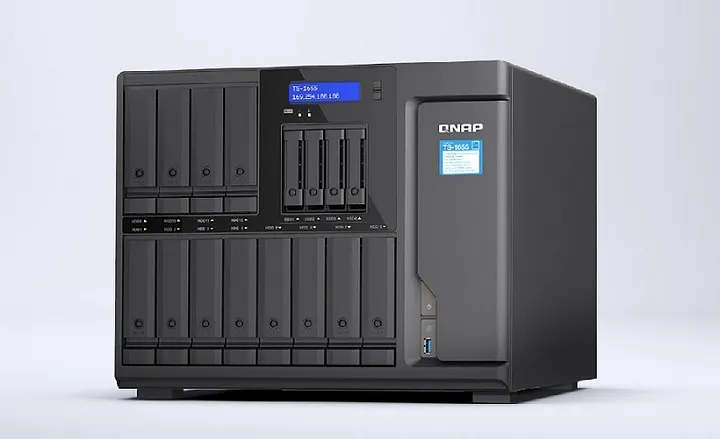
In today’s world, data is a critical asset for individuals and organizations. Data loss can lead to many unfortunate outcomes such as project delay, missed deadlines, and even financial loss. This is where NAS (Network-Attached Storage) comes into play. QNAP is a popular brand of NAS servers. They have developed a reputation for providing reliable and robust storage solutions for both personal and professional use. However, unforeseen events can lead to data loss, even on the most stable of systems. Thus, users must learn to recover data from QNAP NAS servers effectively.
Understanding QNAP NAS
QNAP NAS is a high-performance storage device designed to manage, share, and back up data files. The NAS server is a dedicated computer with multiple hard drives that store files centrally. The files can then be accessed from anywhere on the network, allowing for easy sharing and collaboration. Unlike other storage options such as external hard drives, NAS servers are designed for constant use, which makes them an ideal option for professionals.
Causes of Data Loss on QNAP NAS
Despite the reliability of QNAP NAS servers, there are several ways users can experience data loss. Some of the common causes of data loss include:
Accidental Deletion
Data can be accidentally deleted by a user when performing routine operations. The user may mistakenly delete important files, folders, or partitions, leading to data loss.
Hardware Faults
QNAP NAS servers consist of several hardware components such as hard drives, RAM, and power supplies. These components can fail, leading to data loss.
Malware and Viruses
Infecting QNAP NAS servers with malware and viruses is another way data can be lost. These malicious programs can corrupt or delete data, making it inaccessible.
Power Failure
Power outages are a common occurrence in many areas. In the event of a power failure, unsaved data may be lost, or the NAS server may shut down unexpectedly, leading to data loss.
Steps to Recover Data From QNAP NAS Server
As soon as data loss is detected, it is essential to stop using the QNAP NAS server to avoid further data overwriting. We recommend that users follow these steps for data recovery:
Step 1: Contact a QNAP Data Recovery Center
QNAP Data Recovery Centers are certified partners with experience in QNAP NAS servers, making them experts in recovering data. They are equipped with state-of-the-art technology to recover data from hard drives that have suffered physical damage. Contacting a QNAP NAS data recovery is the first step to successful data recovery. In an emergency, QNAP Data Recovery Centers offer expedited and 24-hour service options for clients.
Step 2: Scan the NAS Server
Once the QNAP Data Recovery Center has been engaged, they will perform a diagnostic test to assess the extent of damage to the NAS server. The data recovery center will use specialized software to scan the hard drives and diagnose issues such as bad sectors, corrupt files, and other issues that could cause data loss.
Step 3: Determine the Recovery Method
The QNAP Data Recovery Center will determine whether the recovery should be done remotely or on-site. Remote data recovery involves having the data recovery team access the NAS server at the user’s location remotely. On-site data recovery involves having the QNAP Data Recovery Center send a technician to the user’s location to conduct the recovery.
Step 4: Recover the Data
Once the data recovery method has been determined, the QNAP Data Recovery Center will recover the lost data. Based on the identified cause of data loss, the recovery method may involve replacing hardware components, repairing corrupt files, or resuming interrupted backups.
Step 5: Restore the Recovered Data
Finally, once the lost data has been fully recovered, it is essential to restore the data back to the QNAP NAS server. The recovery center will handle all data restorations and offer advice on how to back up the recovered data to prevent future data loss.
Read Also: Guide to Recover Data From QNAP NAS Server
Conclusion
Having a reliable data storage solution is crucial in the digital age. QNAP NAS servers provide an efficient way to manage and backup data, but they are not immune to data loss. In the event of data loss, it is vital to contact a QNAP Data Recovery Center immediately and follow the steps highlighted in this article. Importantly, regular backups can ensure data safety and eliminate the need for data recovery services, which is a cheaper and efficient way of maintaining data security.